TV Viewing Distance Calculator: Best TV Size & Seating Distance Guide for 2026
Calculate the perfect TV viewing distance for 4K & 8K TVs. Use our free TV Viewing Distance Calculator to find...
Use our TV Mount Height Calculator to find the ideal TV wall mounting height based on screen size, viewing distance, and eye level. Avoid neck strain and mount your TV perfectly every time.
Your TV should align closely with seated eye level for optimal cinematic viewing comfort.
Mounting a TV on the wall instantly makes a room feel cleaner, more modern, and more spacious. But there’s one detail that matters more than most people expect: height.
Mount it too high and movie nights become uncomfortable. Mount it too low and the room can feel awkward. Get it right, and your setup feels effortless.
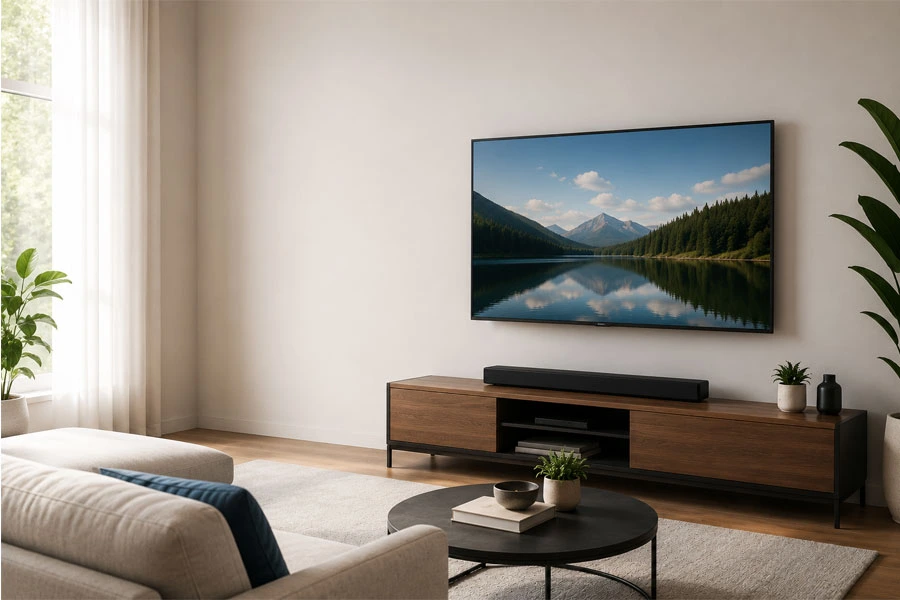
That’s where a TV Mount Height Calculator helps.
Instead of guessing or copying someone else’s setup, you can calculate the ideal mounting height based on your room, your seating, and your TV size.
A TV isn’t just décor—it’s something you look at for hours.
When mounted incorrectly, it can cause:
neck strain
eye fatigue
shoulder tension
poor posture during long viewing sessions
That’s why home theater installers usually work from ergonomics first and aesthetics second.
The goal is simple:
The center of the TV should sit as close as possible to your natural seated eye level.
That keeps your neck neutral and your viewing angle comfortable.
A TV Mount Height Calculator typically uses three core measurements:
Measured diagonally corner to corner.
Common sizes:
Larger TVs are taller, which affects where the bottom edge sits on the wall.
Measure from the floor to your eyes while seated in your normal viewing position.
Typical seated eye heights:
This is often the most important input.
Distance between your seat and the TV wall.
Typical recommendations:
The farther away you sit, the more flexibility you have with height.
If you want a quick answer without using a calculator:
This works well for most living rooms with standard sofas.
But every setup is different.
A calculator gives a more precise result.
Let’s say you have:
Recommended result:
That usually creates the most natural viewing angle.
This is one of the most common mistakes.
Fireplaces often push the TV much higher than eye level.
If you mount above a fireplace:
Otherwise it can feel uncomfortable fast.
Leave enough space below the TV for:
A good minimum gap:
3–6 inches
Many TVs get mounted too high because it “looks better” on an empty wall.
But once you actually sit down to watch:
it doesn’t feel great.
Always prioritize viewing comfort first.
Best for:
Recommended:
Bedroom setups are different because you usually watch while reclined.
Recommended:
This improves comfort when lying back.
If your chair reclines significantly:
Because your head naturally angles upward.
For gaming:
This reduces neck strain during long sessions.
Best if:
Cleanest look.
Best if:
Lets screen angle downward.
Best if:
Most versatile option.
Before drilling:
A painter’s tape outline on the wall can save you from a lot of regret later.
A calculator gives you:
It removes guesswork entirely
Especially useful if you’re installing:
A perfectly mounted TV feels invisible—you don’t notice the height because it simply feels right.
That’s exactly what a TV Mount Height Calculator helps you achieve.
Whether you’re setting up a home theater, bedroom TV, gaming wall, or above-fireplace install, taking five minutes to calculate the height before drilling can make a huge difference.
If you’re mounting a TV soon, measure your:
Then use a calculator to find your ideal height.
Your neck will thank you later.
TV Viewing Distance Calculator: Best TV Size & Seating Distance Guide for 2026
Follow us on Twitter/X

Last Updated: May 26, 2026