TV Mount Height Calculator: Find the Perfect TV Mounting Height for Comfortable Viewing
Use our TV Mount Height Calculator to find the ideal TV wall mounting height based on screen size, viewing distance,...
Calculate the perfect TV viewing distance for 4K & 8K TVs. Use our free TV Viewing Distance Calculator to find the ideal screen size, seating distance, and best setup for your living room, bedroom, or home theater.
— ft
Enter TV size to get recommendations.
Wall mount tips will appear here.
Buying a new TV is exciting, but choosing the right screen size for your room can be surprisingly confusing. Many people either buy a TV that’s too small for their living room or go too large and end up with eye strain and an uncomfortable viewing experience.
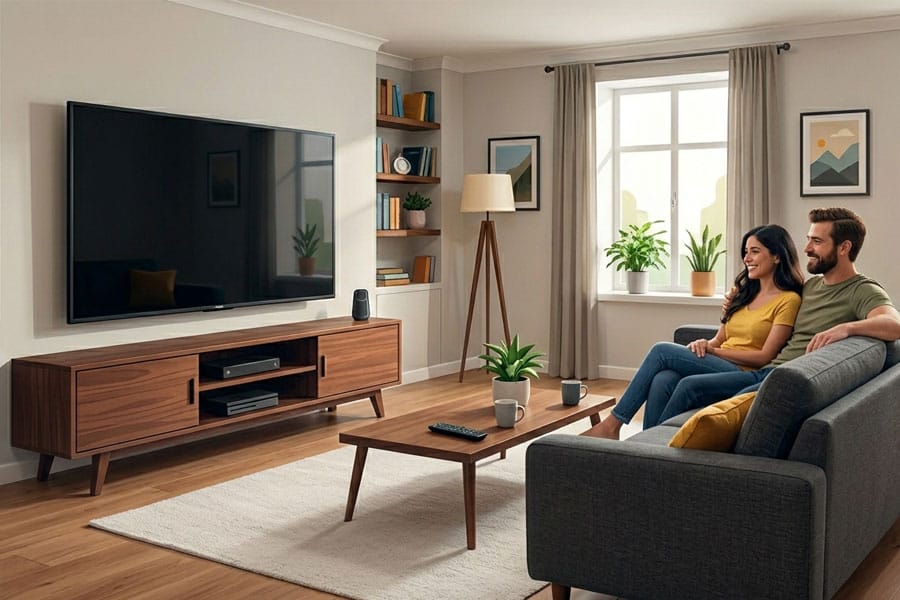
That’s exactly why a TV Viewing Distance Calculator has become one of the most useful home entertainment tools in 2026.
Whether you’re planning a cinematic home theater, upgrading your gaming setup, or simply improving your living room, understanding the ideal TV viewing distance helps you get the best picture quality, immersion, and comfort from your television.
Modern 4K and 8K TVs have changed the traditional “sit far away” rule. Today’s ultra-high-resolution screens allow viewers to sit much closer without noticing pixels, making large TVs more practical than ever.
In this guide, we’ll explain:
A TV Viewing Distance Calculator is a tool that determines the ideal seating distance based on:
The goal is simple:
Create the most immersive and comfortable viewing experience possible.
Modern calculators use industry standards from organizations like SMPTE (Society of Motion Picture and Television Engineers) and THX to determine the best distance between your couch and TV screen.
The distance between your eyes and the screen directly affects:
If you sit too close:
If you sit too far:
The ideal setup creates a balanced field of view where the TV fills a comfortable portion of your vision without causing strain.
Most modern TV distance calculators use field-of-view geometry.
Industry standards generally recommend:
The formula often looks like this:
Distance=tan(FOV/2)Width/2
This approach calculates the optimal seating position based on how much of your visual field the TV occupies.
4K vs 8K TV Viewing Distance
Resolution plays a massive role in seating distance.
1080p TVs
Older Full HD TVs require viewers to sit farther away because pixels become visible at closer distances.
4K TVs
4K TVs allow much closer seating while maintaining excellent sharpness. This is why 65-inch and 75-inch TVs have become popular even in average-sized living rooms.
8K TVs
8K televisions support extremely close seating distances. However, because native 8K content is still limited, many users may not notice a major improvement unless using very large screens.
Bedrooms usually have shorter viewing distances.
Recommended sizes:
Best viewing distance:
A smaller TV prevents eye strain while still delivering a comfortable viewing experience.
Living rooms typically work best with:
Viewing distance:
These sizes provide a cinematic feel without overwhelming the room.
For dedicated home theaters:
Viewing distance:
THX-style immersion works especially well for movies and gaming.
Gamers often prefer sitting slightly closer than movie viewers.
Why?
For gaming:
Competitive gamers may prefer slightly smaller screens for reduced eye movement.
Many buyers underestimate ideal TV size.
Modern 4K TVs support much larger screens than older HDTVs.
One of the biggest mistakes in home entertainment setups.
Your eye level should generally align with the middle third of the screen.
A TV mounted too high causes:
Always measure:
TV size refers only to the diagonal screen measurement, not the overall body dimensions.
For most modern living rooms, wall mounting provides the best experience when installed at the correct height.
Best with:
THX-style immersion creates a theater-like experience.
Balanced seating works best.
Too close can make it difficult to follow fast movement across the screen.
A proper viewing distance helps reduce:
Helpful tips:
Comfort matters just as much as immersion.
Before buying a TV, consider:
Old TV recommendations were created during the CRT and early HD era.
Back then:
Today:
This allows viewers to sit much closer while maintaining excellent image quality.
A TV Viewing Distance Calculator is one of the easiest ways to improve your home entertainment experience.
The right setup creates:
Better immersion
Sharper visuals
Reduced eye strain
More comfortable long-term viewing
In 2026, bigger TVs are no longer just for giant home theaters. Thanks to 4K and 8K technology, even average living rooms can comfortably support large screens when paired with the correct viewing distance.
Before buying your next TV, take a few minutes to calculate the ideal seating distance. It can completely transform your movie nights, gaming sessions, and streaming experience.
Follow us on Twitter/X

Last Updated: May 20, 2026